Product note
Why we built an Excel plugin instead of another system
Product note for operators who run on spreadsheets
Published · By Junil Kim, CEO & Co-founder
Every supply chain planning tool on the market asked the operator to leave Excel. We decided to show up there instead.
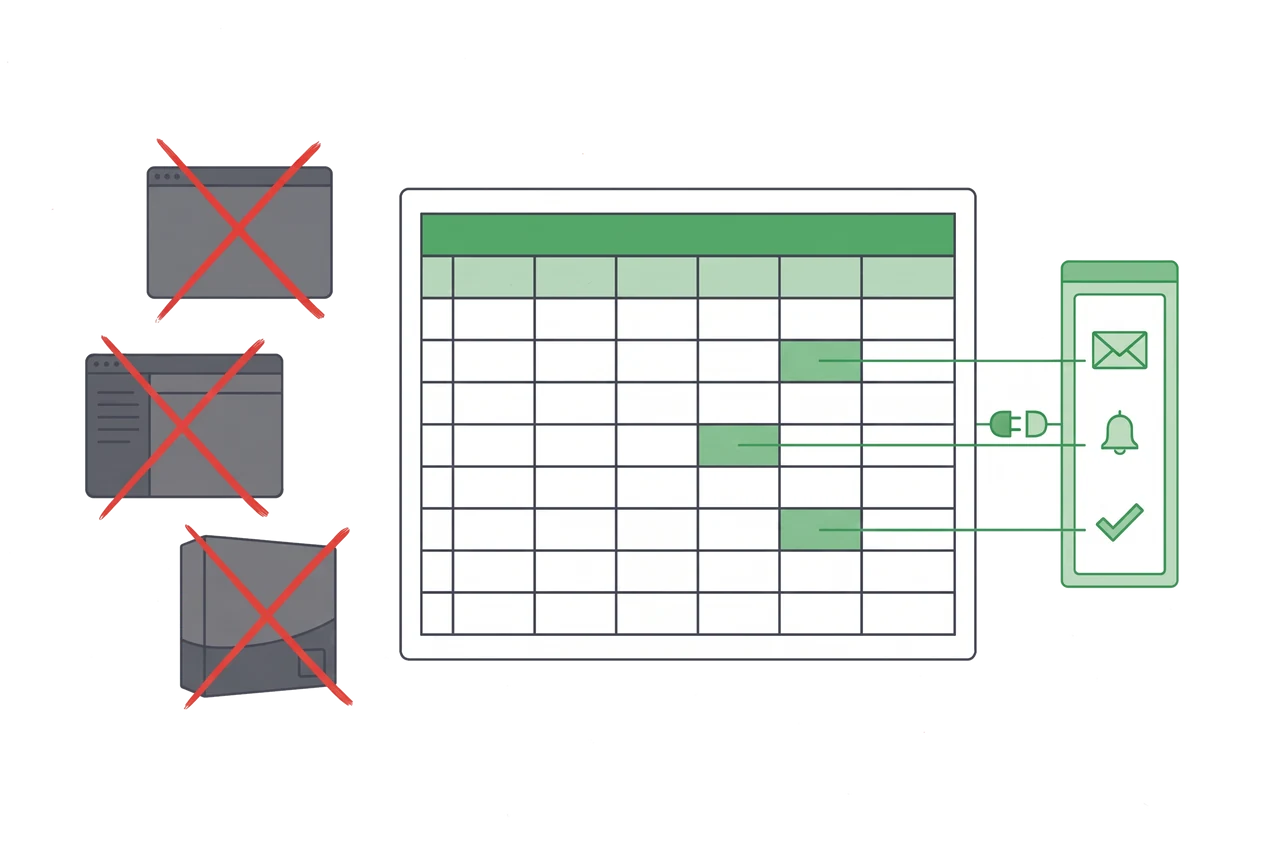
Aperture now runs inside Excel. After a discovery engagement, the workflow map and the data model we build do not stay in a report. They come back as a plugin in the operator's own workbook: it reads the emails and files that feed the sheet, updates the rows, alerts the owner when something moves, and takes the actions the owner has approved. This post is about why we chose that shape over one more system.
Aperture is an AI-native operations tool. Our first deployments are inside the planning, purchasing, and inventory loops of consumer goods companies: we map how the work actually runs, then deploy agents inside the files that work already lives in. The plugin is where that map ends up.
The systems are fine. The seams are not.
Every company we work with has an ERP, a warehouse or 3PL system, and a console for each sales channel. Each of them is there for a reason and each of them does its job. The ERP keeps the books. The warehouse system knows what is on the shelf. The marketplace console knows what sold yesterday.
None of them talks to the others. The place where they meet is a spreadsheet, and usually one person.
That person opens six systems each morning, exports yesterday from each, translates six sets of product codes into the company's own, and pastes the result into a workbook. Purchasing orders against that workbook. Sales plans against it. The weekly S&OP meeting reads from it. We described the morning roll-up in our field notes on operational debt. What matters here is what it is: an integration the company never built, performed by hand every day.
Excel became the orchestration layer because it was the only tool that let one person join six outputs before nine in the morning. It was never designed to be one. So the failures are exactly the failures of an undesigned integration.
What an undesigned integration costs
We recorded one such loop end to end at a consumer goods company earlier this year. Four things showed up that nobody had seen together before.
The same unit conversion lived in three places: a screen in an internal tool, a lookup table in the master workbook, and a small executable someone had written to convert purchase orders. Nobody owned the rule. When one copy changed, the other two did not.
A subtotal in the current month's inventory file was off by a few thousand packs. It had been off for weeks. There was no check that could have caught it, because the workbook was the only record of itself.
Supplier commitments arrived by email and chat. "We can deliver in the second week of September" was a sentence in a thread, then a slip, then another sentence. Nothing wrote it down where the plan could see it. The plan and reality were never going to match, and the gap was noticed in a meeting, days later.
And the dashboard the company had built to fix all this had quietly stopped being used, because it lived outside the workbook where the work happened. Nothing was wrong with it. It was simply somewhere else.
Why do planners keep going back to Excel?
The obvious move is to replace the spreadsheet with a proper planning system. The market has been making that move for twenty years, and the result is well documented. In a survey of 164 S&OP practitioners across 54 countries, 81.1% said they run the process in Excel or Google Sheets. Dedicated planning tools accounted for 5.1%. One pharma S&OP lead put it plainly: "Even with SAP, we always end up back in Excel. It's the only thing that really works."
We looked closely at why the best planning tools keep losing planners to Excel, and the short version is that the spreadsheet gives three things no portal does: feedback in under a second, formulas the planner owns and can audit, and a layout they can change without asking anyone. A new system asks the operator to give all three up during the busiest weeks of their quarter. Most decline.
The companies we work with had already declined. One had rolled back a company-wide AI assistant because productivity fell. Another had replaced a dashboard with a spreadsheet on purpose, because the team could extend the spreadsheet themselves. They were not going to adopt a new surface. So we stopped trying to give them one.
Map first, then plug in
The plugin is the last step of the engagement, not the first. What makes it work is everything registered before it opens.
Discovery produces a map of the loop as it actually runs, with every handoff and exception recorded from the real screens. Underneath the map we register the truth the spreadsheet has been carrying silently: the product master and every channel's alias for each item, the pack factors that turn rolls and layers into boxes, the lead-time assumptions that lived in someone's head, the cells that were hand-typed constants pretending to be data. At the first company this became a data model of 23 tables, with every conflict between sources preserved rather than resolved by whoever pasted last.
Then we bind that model to the operator's actual files. "Column D of the daily inventory tab is stock at the second warehouse." "The block at the bottom is inbound receipts." Bindings are data, not code, so when the operator restructures the sheet mid-quarter the mapping moves with it.
Only then does the plugin open. It arrives already knowing how this company's files are built, who owns which number, and where the numbers come from.
What does the Excel add-in actually do?
The add-in does three jobs, in the order operators asked for them.
It updates the rows on a schedule. The daily roll-up, the plan-versus-actual refresh, the receipts block: any repetitive update whose correctness can be checked runs on its own. The person who used to build it reviews a diff instead of building it.
It reads the mail and the files and writes them into the sheet. A 3PL sends the weekly stock file. A distributor replies that a delivery has slipped. A supplier confirms a quantity in a chat. The plugin reads it, normalizes it against the model, and updates the bound cells, with the source pinned to the change.
It asks for action, or takes it within approved limits. When a lead time slips past a promotion date, a channel outruns the plan, or a lot approaches expiry, the alert goes to the person who can act, inside the workbook they already have open. For actions the owner has approved, the plugin runs them. For everything else it drafts: a purchase order in the supplier's own format, a settlement request, a reply to the 3PL.
Every write is a proposed change the owner accepts. A pattern earns automatic execution only after it has been right, visibly, for long enough. External commitments never leave the building without a named person approving them.
What changed at the first company
We shipped this to one consumer goods company whose daily inventory picture depended on a single analyst's workbook.
The workbook is still there. The ERP is untouched. The channel consoles are untouched. The analyst opens the same file each morning, and the roll-up is already done, with each cell traceable to the export it came from. The receipts block updates when the 3PL's file lands in email. The alert for a slipped supplier date fires the day the email arrives, to the buyer, in the sheet, instead of surfacing in the weekly meeting.
Nothing about the work's habit changed. What changed is that every number now has a source, every conversion has an owner, and the hours that went into building the picture go into reading it.
Nothing moves. Everything is on record.
That is the whole argument. The systems you have are there for a reason and they stay. The spreadsheet your team trusts stays. What we add is the layer that was always missing between them, delivered as an Excel add-in inside the tool the work already lives in, backed by a map of how the work actually runs.
If your operations run through a workbook that one person understands, we can show you what it is carrying and put an agent on it without moving anything. Talk to the founders.